OCR - AWS Textract
ACCESS THE CUSTOM STEP FOLDER
Description
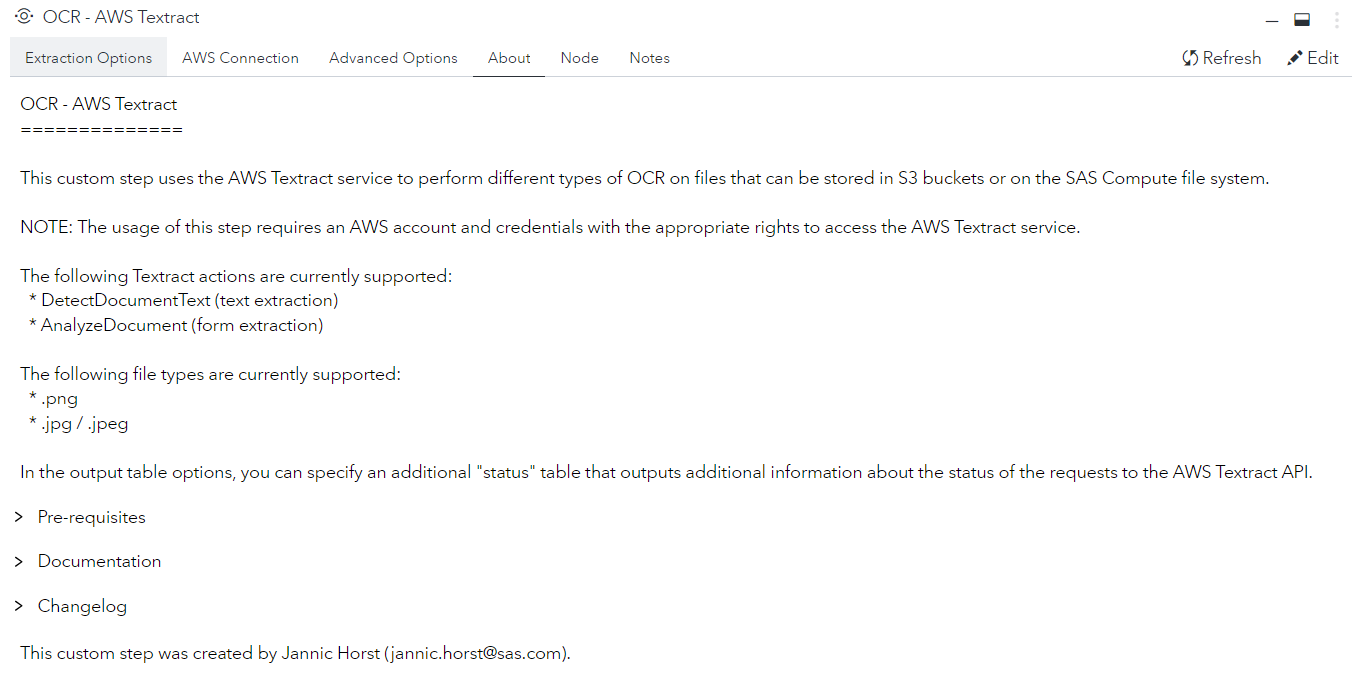
This custom step uses the AWS Textract service to perform different types of OCR on files that can be stored in S3 buckets or on the SAS Compute file system.
Features
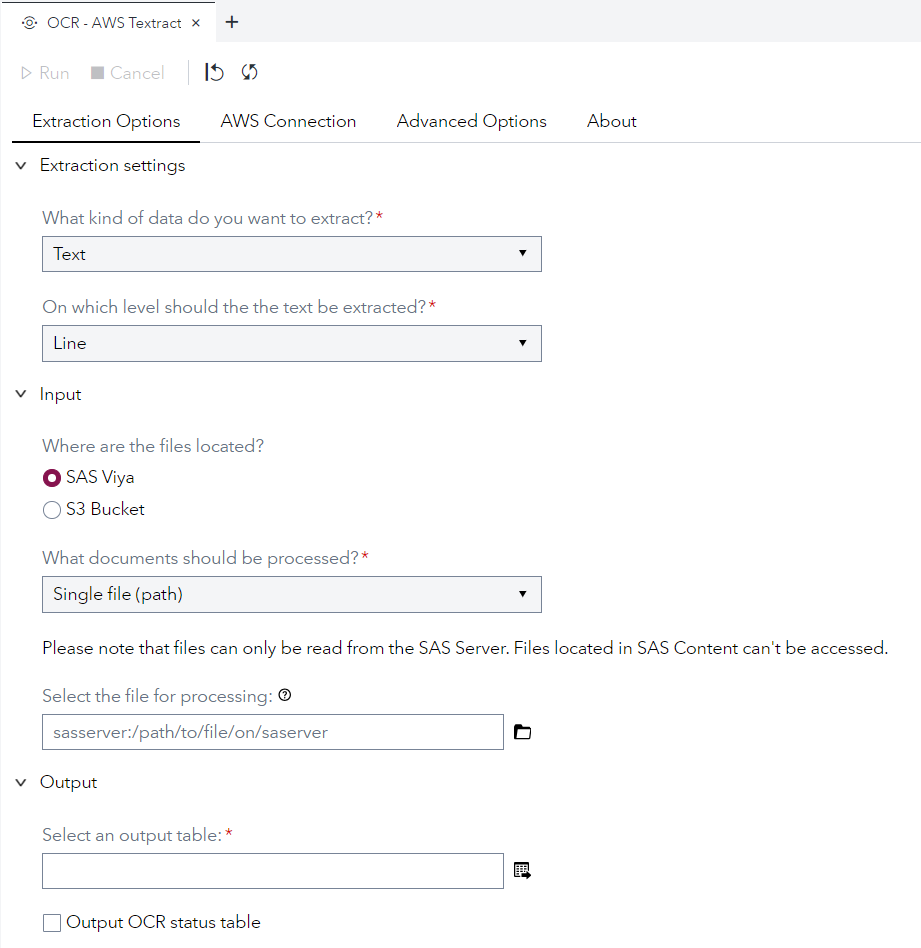
- Text Extraction (Words / Lines / Paragraphs / Pages)
- Form Extraction (Key-Value)
- Supports: Local Files (SAS Viya) & Files in S3 Bucket
User Interface
Requirements
Tested on SAS Viya version Stable 2022.09
Python Packages
AWS Credentials
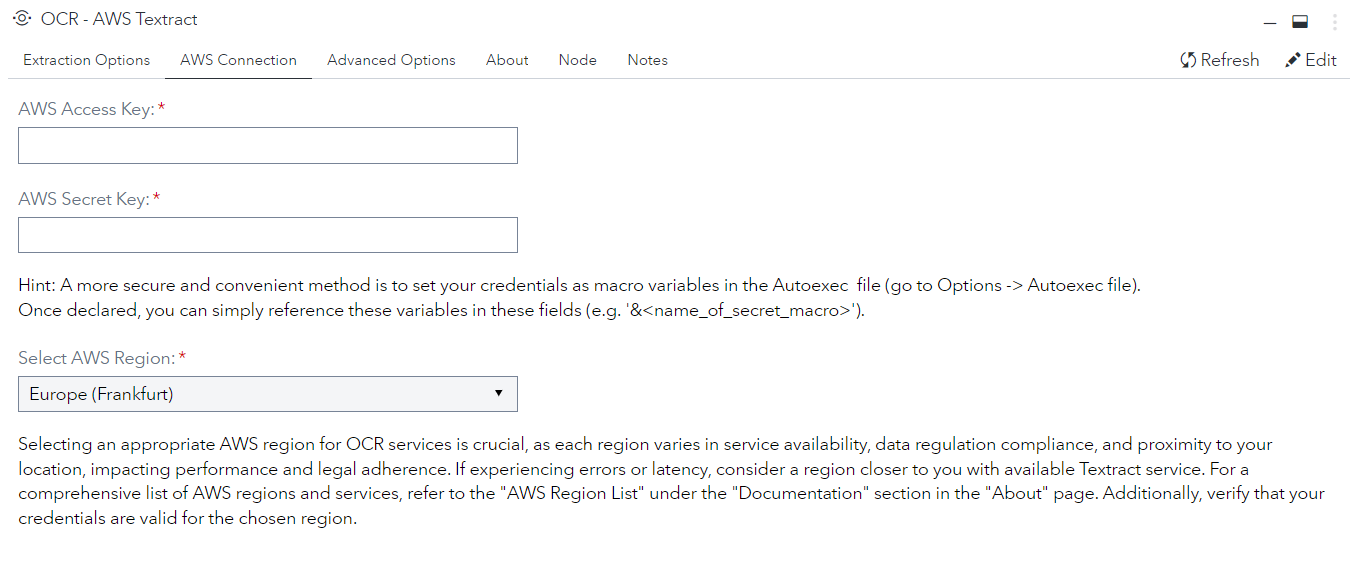
To use this step an aws key & secret are required as credentials as well as an AWS region.
Supported File Types
In the current implementation, AWS Textract doesn't support PDF files.
- .jpg/.jpeg
- .png
Usage
📺 Tutorial (Click Thumbnail)
Note: This step works well with the following custom step Create Listings of Directory - CLOD to create the input file-list based on a folder of documents.
Testdata
Here is a list of test documents
Pro Tip: Take a photo with your smarphone, make a screenshot of a document or export a PowerPoint slide as .jpg/.png
Parameters
Options
X = Always Required | O = Required (for certain settings) | = No user input required
| Parameter | Required | Type | Description |
|---|---|---|---|
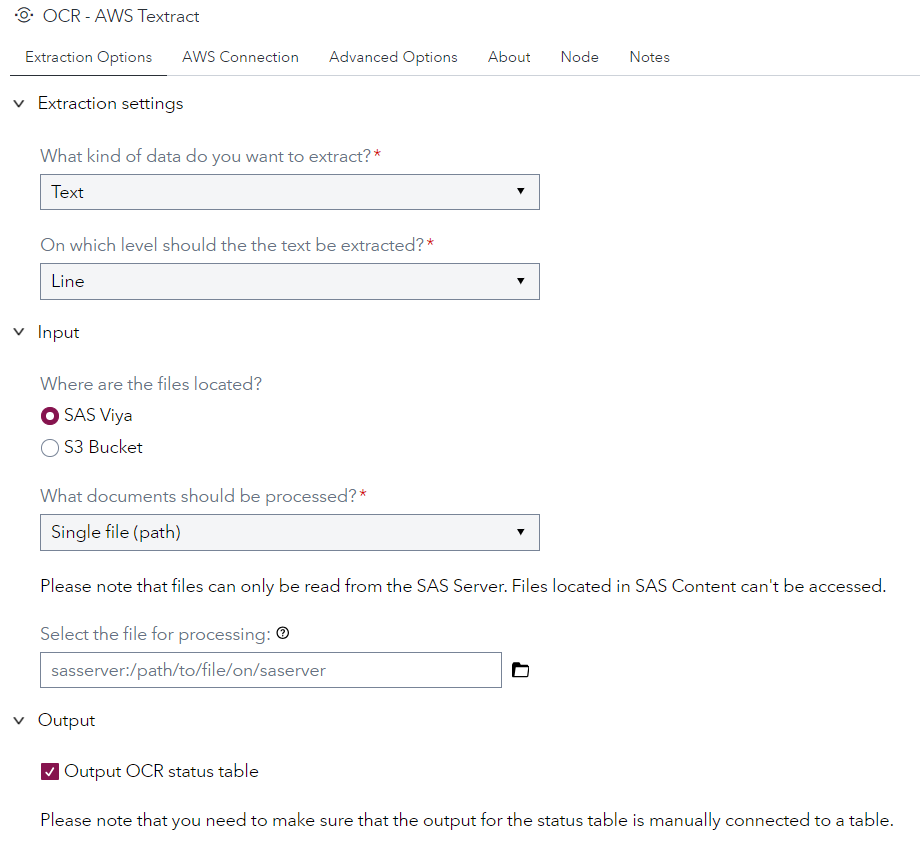
| Extraction Type | X | Option | Specifies the AWS Textract action that is called. For text: DetectDocumentText, for forms: AnalyzeDocument |
| Extraction Level | X | Option | The level of aggregation of the detected text. Possible values: Word, Line, Paragraph, Text |
| File Location | X | Option | Specifies whether the files are stored locally or in a S3 bucket |
| Input Type | X | Option | Specifies which documents should be processed. For local files (SAS Viya): Single file, list of files (table), For S3 Bucket: list of files (table), or a whole bucket |
| File Path | O | Path | File to be processed. Only when "SAS Viya" and "just one file" is selected |
| File List | O | Table | Table containing list of files. Only when a "list of files" is selected |
| Document Path Column | O | Column | Column that contains the file paths. Only when "list of files" is selected |
| S3 Bucket Name | O | String | Name of the S3 bucket containing the files. Only when "S3 Bucket" is selected |
| Output Status Table | Option | Whether status tracking information about the processing should be in the output |
AWS
| Parameter | Required | Description |
|---|---|---|
| AWS Access Key | X | Access Key |
| AWS Secret Key | X | Secret Key |
| AWS Region | X | Region of the AWS endpoint and S3 bucket (if "S3 Bucket" is selected) |
Advanced
| Parameter | Required | Description |
|---|---|---|
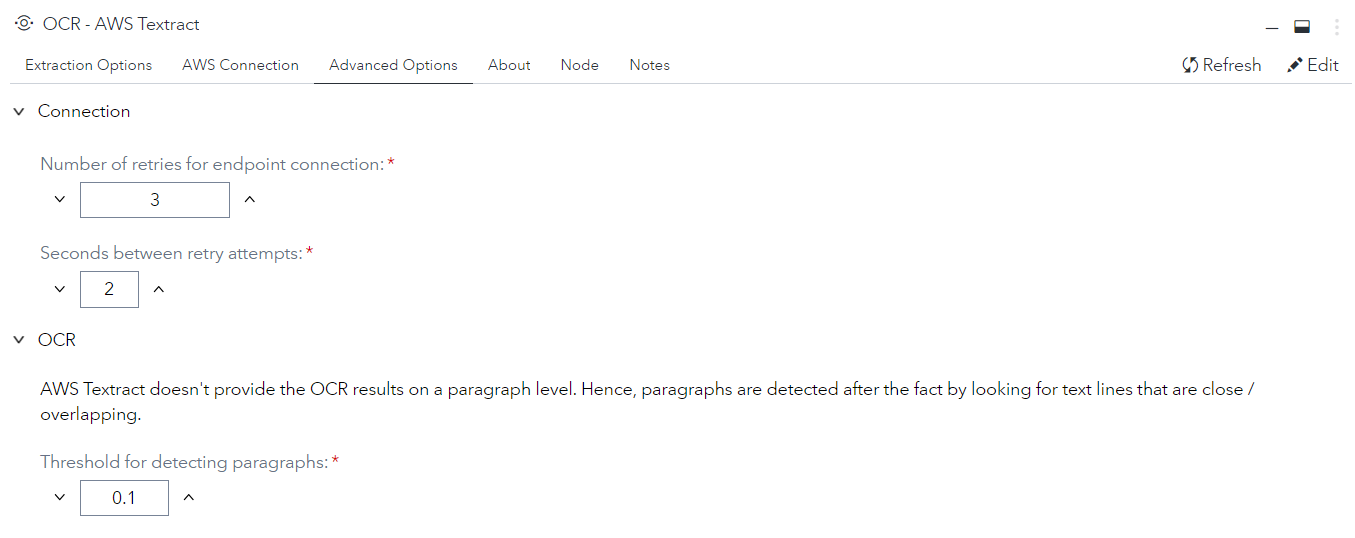
| Number of Retries | How many retries attempts before a document is skipped | |
| Seconds between retries | How many seconds between retry attempts | |
| Pragraph Detection Threshold | AWS Textract doesn't provide the OCR results on a paragraph level. Hence, paragraphs are detected after the fact by looking for text lines that are close / overlapping |
Change Log
- Version 1.0 (08JAN2024)
- Initial version